Release history

What’s new

Murmur Sphere’s public Windows updates, newest first. The current download is version 0.6.9.

Pictures in chat and a clearer local workspace

A refreshed interface brings character pictures, model and LoRA tools, training, and local-data controls together. Existing recommended models are unchanged.
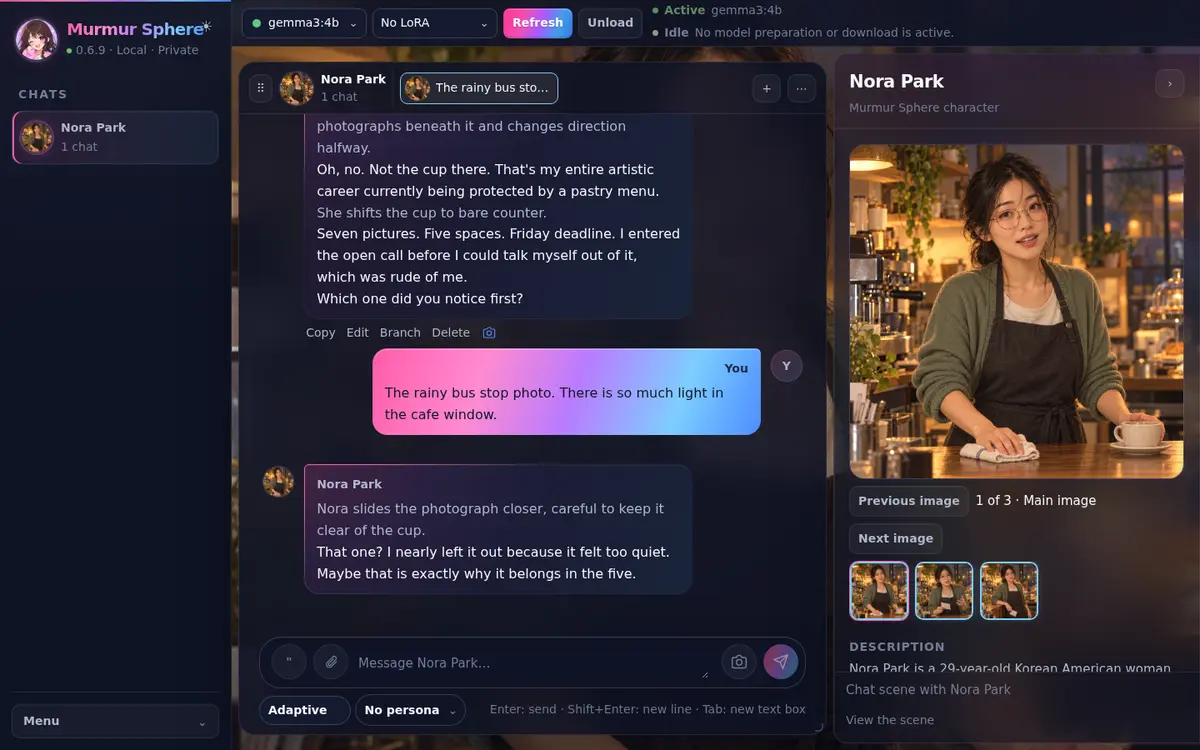
Fictional chat in the Murmur Sphere 0.6.9 interface.
Character chat
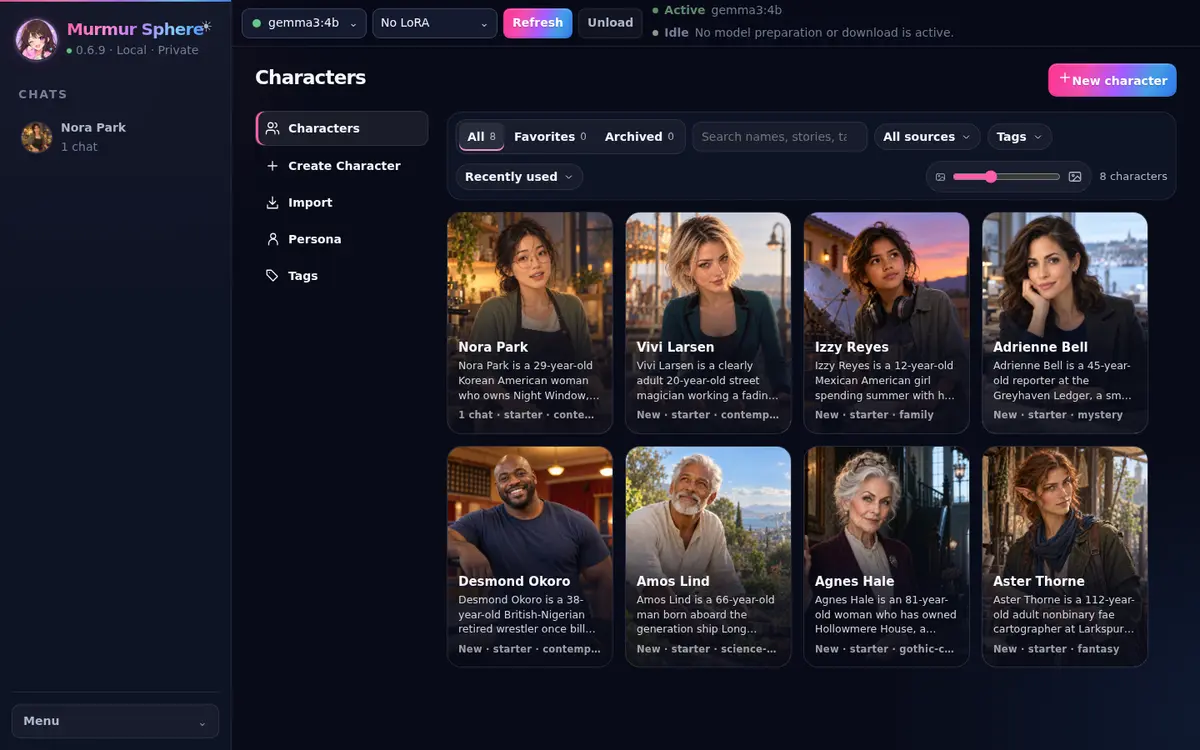
Eight built-in fictional characters in the Murmur Sphere 0.6.9 interface.
Characters
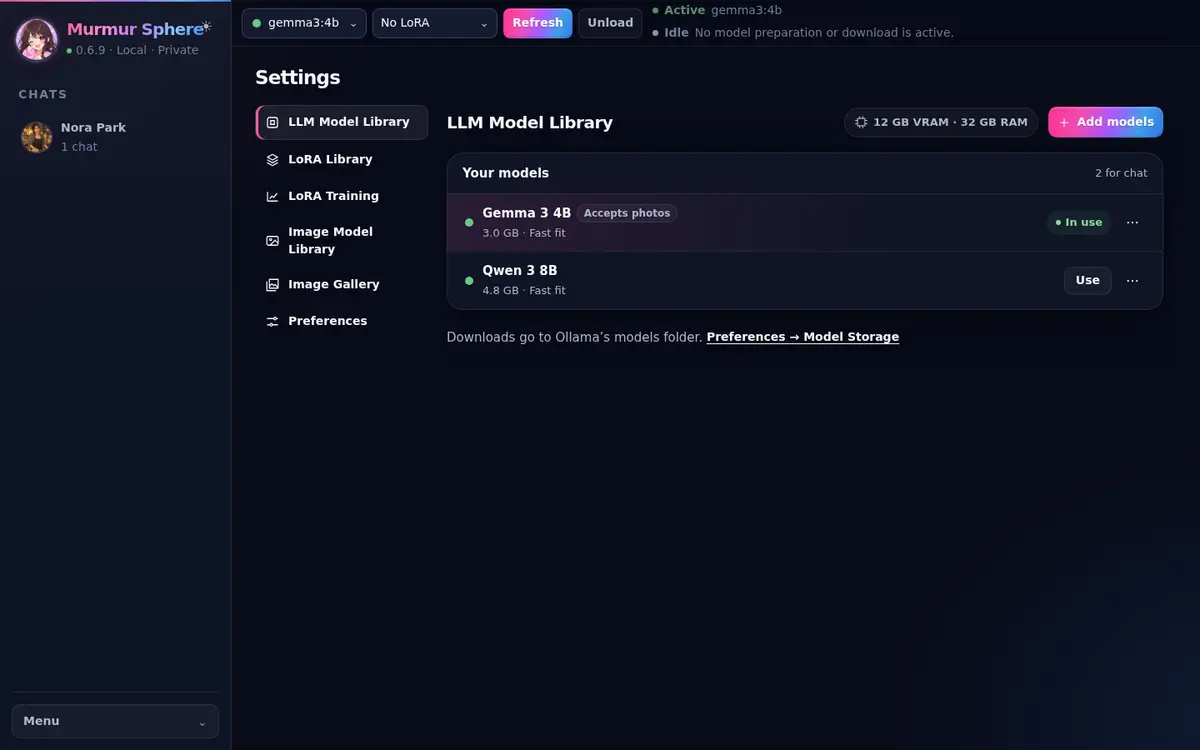
Model Library in the Murmur Sphere 0.6.9 interface with simulated installed models.
Model Library

0.6.9 app UI with synthetic data. The installed models and active state shown here were simulated for the capture.

Changes in this version

  • Refreshed Characters and SettingsCharacter browsing, creation, imports, Personas, tags, Preferences and Image Gallery have clearer layouts and more consistent controls.
  • One LLM Model LibraryChat models and LoRAs share one library, with model downloads, original training files, adapter discovery and preparation available from their related model.
  • Pictures inside conversationsA pending picture appears as a simple character bubble. Image work is shown in the header, and Add to character can save a chat picture to the current character.
  • Conversation-aware picturesPicture prompts use the surrounding scene. Picture requests get a text reply first, then a separate decision about whether and what picture to send.
  • Simpler picture controlsThe camera panel selects Anime or Realistic, defaults to using the current portrait, and offers a quick picture of the character’s current scene.
  • More complete image preloadingPreloading retains the selected model and required components in system memory and reports readiness. Chat and images still share graphics memory.
  • Clearer LoRA trainingTraining shows measured batches, epochs and memory when available, reports more useful failures, and retains a confirmed exact chat-model choice for the resulting LoRA.
  • More careful tag cleanupLocal semantic suggestions are rechecked for interchangeable labels before review. Existing Combine, Skip and Undo controls keep changes in your hands.
  • Start freshPreferences can erase the active User Data folder after an explicit typed confirmation. Installed model and LoRA files, exported backups and original source files are kept.
  • Recovery details and illustrated HelpProfile-read errors offer copyable sanitized details. Windows older-profile discovery handles ordinary path casing, and nineteen Help topics include current synthetic screenshots.
Download current version

Back up before updating · Missing chats after an update?

More ways to make a character chat your own

This release makes conversations, character creation, model choice and LoRA tools easier to use.

Changes in this version

  • Improved conversationsThe model bar distinguishes a selected model from the one actually loaded, with clearer chat sending and navigation while work is in progress.
  • App-wide UX quality updatesProgress and Stop controls are clearer, unsaved character work is better protected, and recovery notices are easier to manage.
  • Support for more modelsThe Model Library recognizes more compatible versions already prepared in Ollama, including moved files with matching model details.
  • Suggested modelsModel-fit guidance helps you choose a practical starting point for your computer, without downloading or loading a model for you.
  • LoRA finderFind LoRAs searches for adapter candidates for a selected chat model so you can review the results before choosing a download.
  • Training files finderGet training files helps locate the original trainable model files needed for LoRA work, separate from the GGUF model used for chat.
  • Improved LoRA trainingSlow prerequisite checks run as visible, cancellable jobs, and the final training step leads more clearly into the LoRA Library.
  • Text character generation with local AIDescribe a character in words and let your loaded local model draft the card; review and edit its fields before saving.
  • Eight starting charactersA bundled cast of eight characters and seventeen portraits gives you characters to explore without importing a card first.
  • Five in-app recommended LLMsA curated guide presents five chat models with descriptions and links to inspect available versions before you choose one.

A stronger local library and training workflow

The previous public update expanded character and model handling and made training work easier to follow.

Changes in this version

  • Guided LoRA trainingTraining distinguishes original trainable weights from prepared chat models, and the LoRA Library keeps chat-ready adapters together.
  • More character-card importsExpanded supported JSON and PNG card fields, with local copies that leave the original source files unchanged.
  • Model Library improvementsRecognized supported nested and split GGUF downloads and separated downloading, preparation and loading feedback.
  • Conversation controlsRegenerating a reply keeps the previous saved text if a new attempt fails or is canceled; incomplete replies can be continued.
  • Training chat importsSelected saved chats, including supported PolyBuzz chat imports, can be reviewed for a LoRA training dataset.
  • Local data recoveryNew profiles no longer need an encryption key; older encrypted data has a separate optional recovery path.

The first public Windows release

Murmur Sphere became available as a free local character-chat app for Windows.

Changes in this version

  • Private local conversationsChat with a character using a compatible model running through Ollama on your computer.
  • Characters and PersonasCreate or import a supported character card and choose optional Persona context for a conversation.

Before you install

Current limits

  • Windows may warn because the installer is not code-signed yet.
  • Ollama and a compatible model are installed separately.
  • Expect a few rough edges, and please tell me when you find one.

See known issues

Technical release details
Filename
Murmur-Sphere-0.6.9-unsigned-windows-x64.exe
Exact size
121,750,661 bytes
SHA-256
08d1dbb51d554b020d2be4d00d54a927ceaf74b954d6f1e479c966e010861ecf
Source commit
94e90b3413ef031967c6925518b52b9dbc5d8ebd
Publisher
Not digitally verified
Published
2026-11-10T05:13:09.506Z
Signing
Not code-signed
Windows
Windows 10 22H2 x64 · x64

Raw history JSON · Release checks