
Murmur Sphere Help
Find your way around.
Setup, characters, local models, backups, and fixes for the moments something will not load.
Searches the guides on this page. Nothing you type is sent anywhere.
Search results
Matching guides
- Start your first chatSet up Murmur Sphere, find where your local data lives, and begin your first private conversation.
- Use Ollama for local character chat on WindowsSet up Ollama character chat on Windows: choose a compatible model in Murmur Sphere, load it locally, and fix the common readiness problems.
- Create an AI character with a local modelTurn an idea into a character in Murmur Sphere, review the locally generated fields, and save the card before your first chat.
- Import character cards from another appMove supported PNG or JSON character cards into Murmur Sphere, or bring in selected PolyBuzz characters with its separate browser bridge.
- AI Character Cards and PersonasCreate or import AI character cards in Murmur Sphere and add only the Persona context you want to use.
- Make your first chat pictureSet up local image generation, use the chat camera and send the finished picture into the conversation.
- Train a LoRA from a saved chatUse a saved conversation to train a local text-model adapter, then find the completed LoRA in the model library.
- Back up your local dataFind your save folder, make an independent copy, and understand the restore path for current profiles.
- UpdatesUnderstand the small startup check and keep every download and install decision explicit.
- TroubleshootingRecover from common model, service, import, and reply problems without exposing private content.
- Windows says Unknown publisherSee the illustrated Windows installer instructions.
- Known issuesCheck current limitations and workarounds.
No matching guide. Browse all guides or get in touch.
Start here
A first chat, from setup to reply.
New to local character chat? Start with the Windows setup, then open the app's first-chat guide.
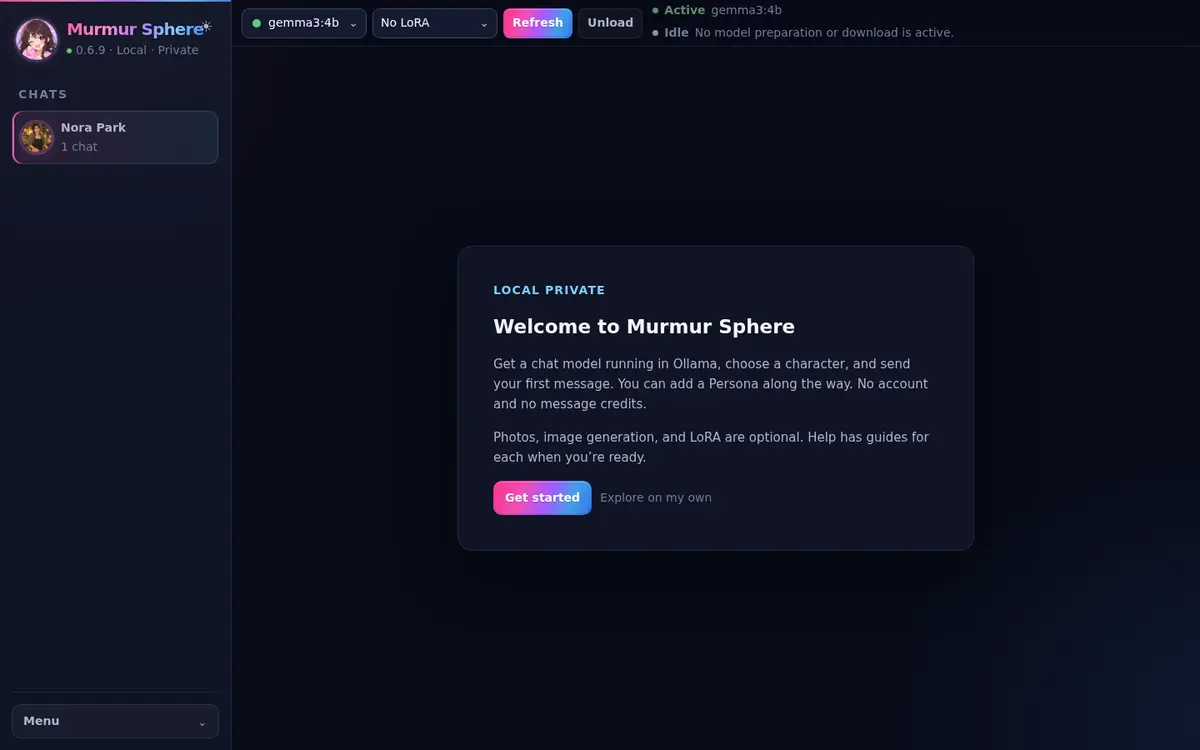
Guided setup
Start your first chat
Install Ollama separately, choose a compatible model, and meet a character.
App images use fictional data captured in the 0.6.9 interface. See Download for the current installer.
Browse by task
Find your next step.
Get started
Install the parts you need and send your first message.
- Start your first chatSet up Murmur Sphere, find where your local data lives, and begin your first private conversation.
- Use Ollama for local character chat on WindowsSet up Ollama character chat on Windows: choose a compatible model in Murmur Sphere, load it locally, and fix the common readiness problems.
Characters and Personas
Make someone new or bring a character with you.
- Create an AI character with a local modelTurn an idea into a character in Murmur Sphere, review the locally generated fields, and save the card before your first chat.
- Import character cards from another appMove supported PNG or JSON character cards into Murmur Sphere, or bring in selected PolyBuzz characters with its separate browser bridge.
- AI Character Cards and PersonasCreate or import AI character cards in Murmur Sphere and add only the Persona context you want to use.
Pictures and LoRA training
Make a picture in your chat or train an adapter from a conversation.
Your local data
Keep copies and understand what changes with an update.
Fix a problem
Find the next step when setup or chat gets stuck.
Installing on Windows
Windows may show “Unknown publisher.”
The current installer is not code-signed yet. Get it from the official Download page, keep Windows Security on, and check the app name before running it.
Still stuck?
Tell us what happened.
Check known issues, or use the app's bug-report flow to prepare a report you can review before sending.
Report a bug