
Start with a concrete idea
A name, a role, a setting, and how the character should speak give the local model a better starting point than a single adjective. You can leave details open for the conversation instead of filling every field.
Practical guide
Turn an idea into a character in Murmur Sphere, review the locally generated fields, and save the card before your first chat.
Before the steps
You can write a character by hand or ask the model running through Ollama to draft one from your idea. The AI suggests text for the card; you decide what to keep. Character text generation is separate from making a portrait, which needs an image setup.
A name, a role, a setting, and how the character should speak give the local model a better starting point than a single adjective. You can leave details open for the conversation instead of filling every field.
Start from an idea can draft all tabs. Profile, Voice, Story, and Inner Compass hold different parts of the character. Read the opening message and adjust anything the model invented or got wrong. On supported fields, Write with AI, Suggest a rewrite, and Assist offer smaller changes you can accept or discard.
The character card describes the person you will chat with. A Persona is optional context about you. Saving a character does not publish it to an online gallery; current profile files are local plaintext with integrity checks.
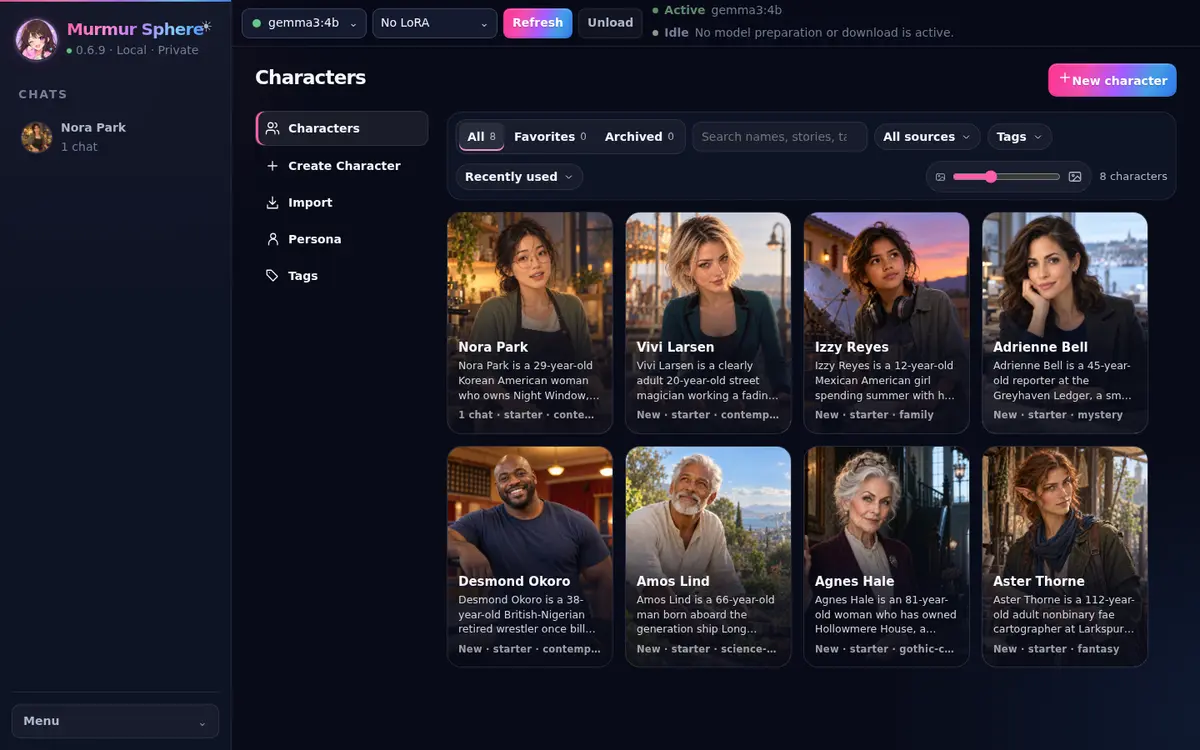
Steps
Set up Ollama and load a compatible chat model. Character drafting needs an active local model.
Open Characters → New character, expand Start from an idea, and describe who you want to make.
Choose Draft all tabs, then review the generated Profile, Voice, Story, Inner Compass, and opening message. Change anything you do not want in the card.
For a smaller edit, use Write with AI, Suggest a rewrite, or Assist on a supported field, then accept or discard its suggestion. A locked field stays protected during a full draft.
Choose Create & chat to save the character and open a conversation. A picture and a Persona are optional.
Related screens

Quick answers
Text character drafting and picture generation are separate. You can use a local picture, a saved image, or set up image generation later.
Yes. Every suggestion is a draft. Edit fields, accept or discard smaller AI suggestions, and save only when the card says what you want.
No. A Persona describes your side of a chat and is optional. The character card works without one.
Keep going
More help